
Log into your the treehouse and go to the Hours page, which can be found under Locations in the left-hand menu.

Use the Create Holiday button in the upper-right corner.
Click the Create Holiday button to add your holiday hours or closure. You can toggle on Store Closed if your store will be closed for the entire day, or enter special hours if you will be operating on a different schedule.
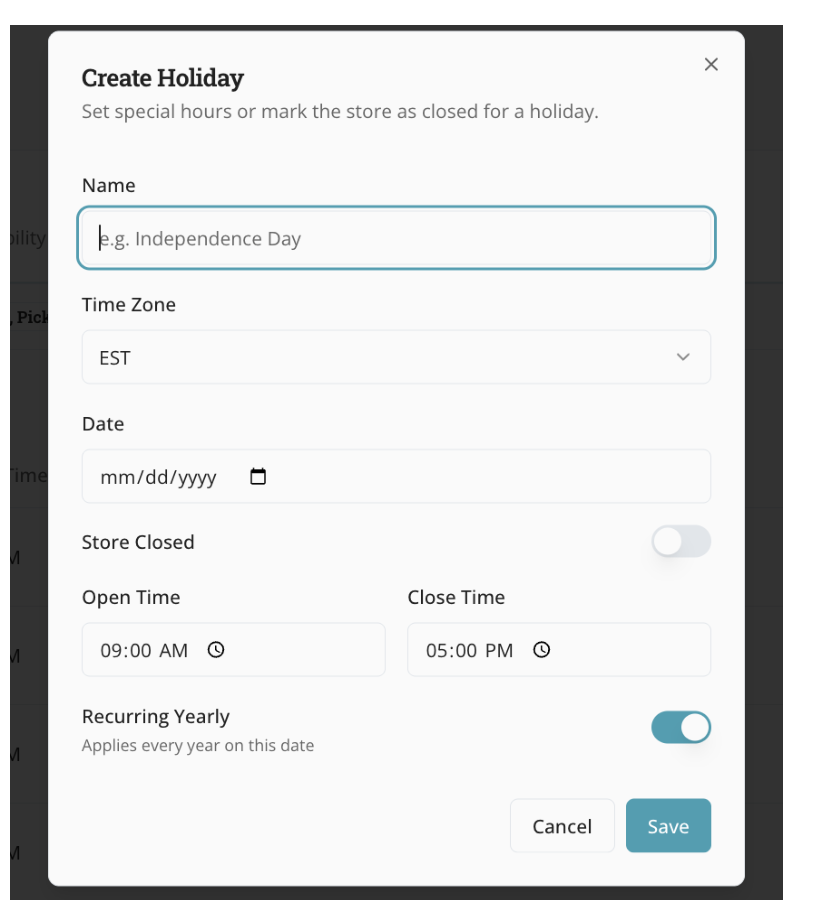
If you want the holiday hours or closure to repeat every year, make sure the Recurring Yearly toggle is turned on.
|
🌰 Beta note: The Holiday Hours feature is currently in beta. If you do not see the Create Holiday button, email support@hazlnut.com so we can update your settings. |